System-wide dictation
Start from a shortcut, menu bar, Mic Palette, or Always Listen. Speak naturally and paste the result at the cursor.
Voiscribd

Dictate anywhere, capture meetings, and transcribe files. Select text in any app, open the prompt palette, and turn it into a rewrite, summary, or answer right where you are. No copy-paste. No tab switching.
14-day free trial. No credit card required.
Voiscribd ships with four hand-crafted themes. Dark and focused for late-night sessions, crisp light for bright desks, and two Solarized variants that bring warmth to every workflow. Switch in one click from Settings.
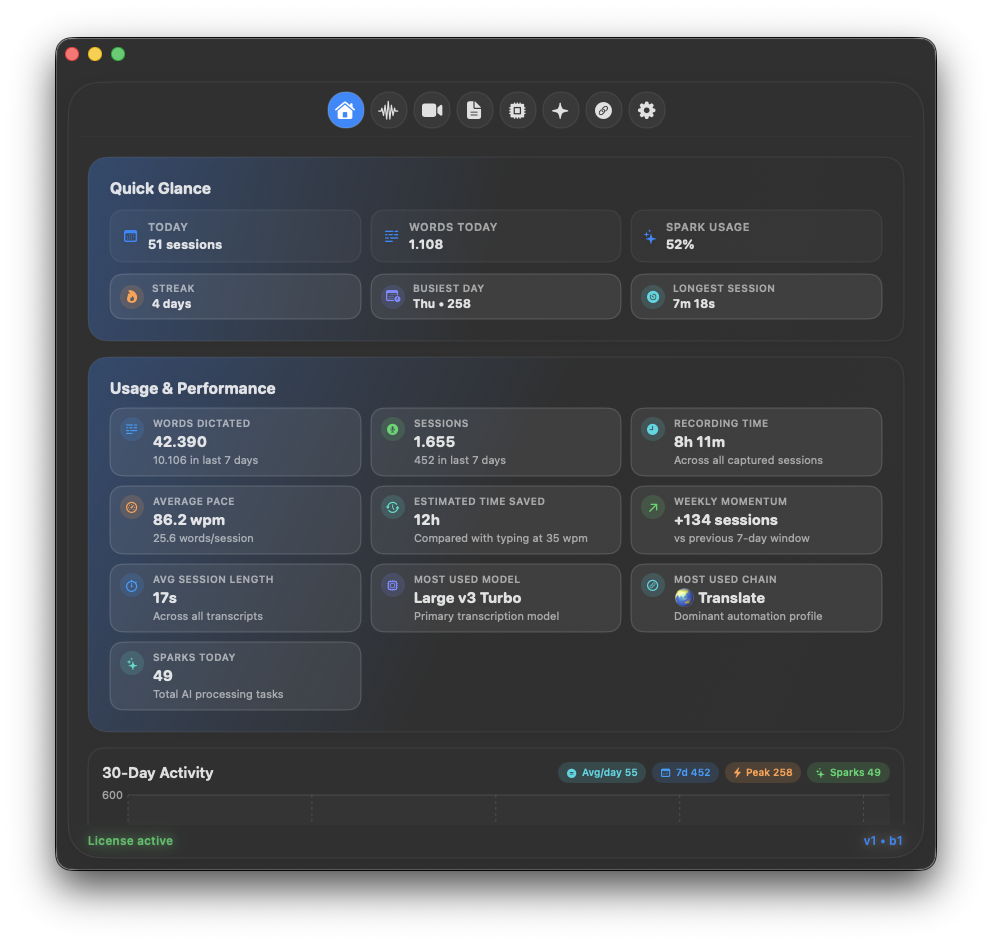
Deep navy backgrounds and electric cyan highlights keep the interface out of your way while your voice does the work. Perfect for low-light setups and long writing sessions.
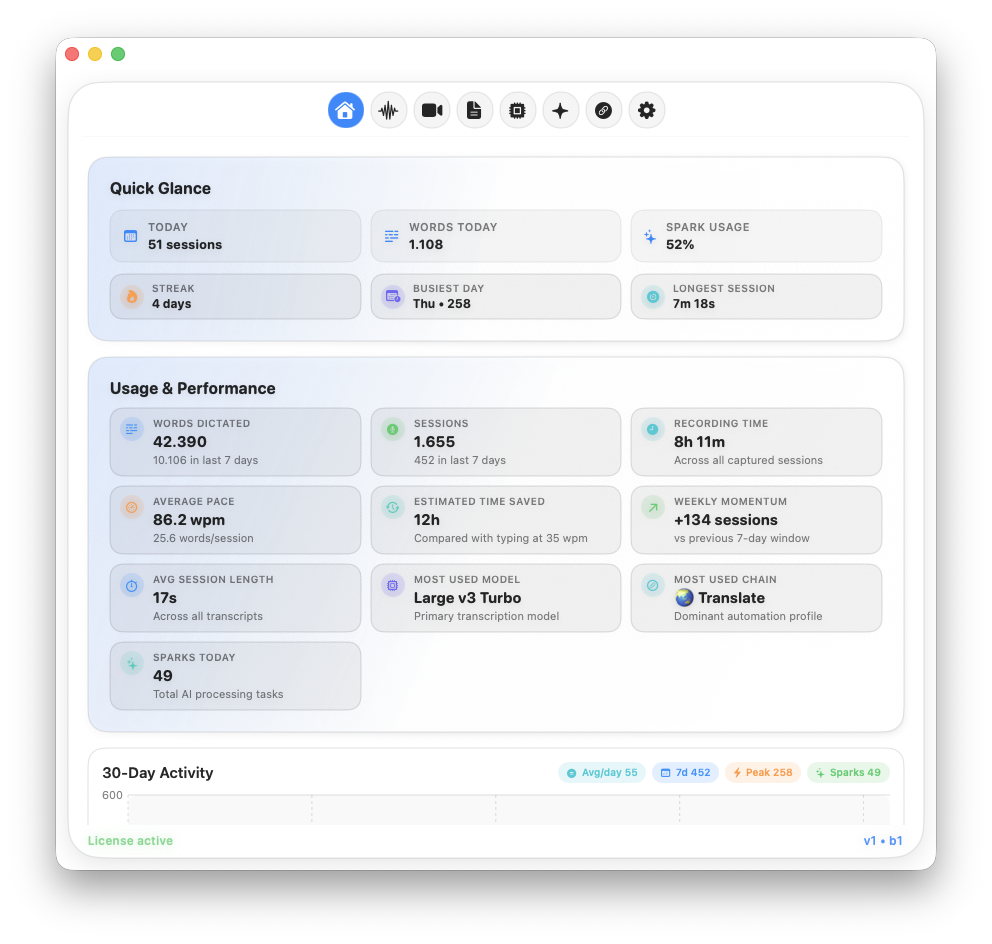
A crisp white canvas with precise blue accents. Reads beautifully on bright displays and pairs naturally with macOS light mode across your whole desktop.
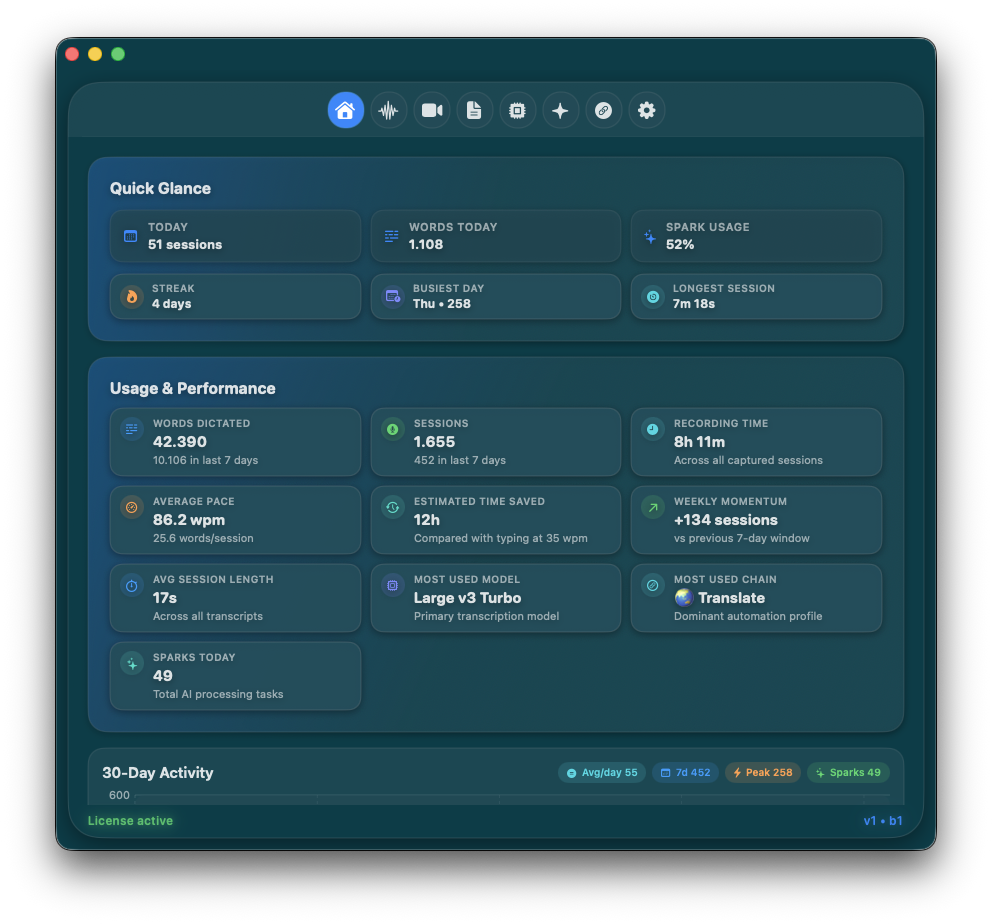
Rich amber and gold tones layered over a deep dark base. Easier on the eyes during evening work, and distinctive enough to feel like your own.
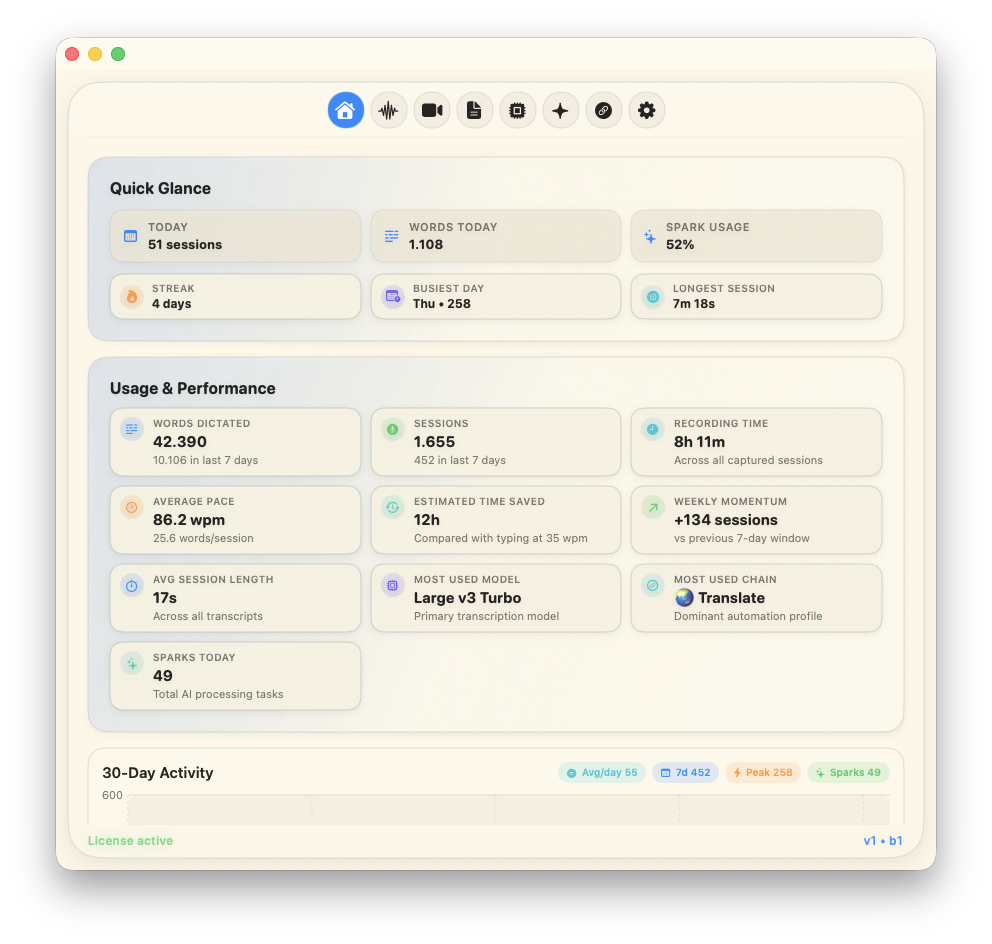
Soft cream backgrounds with golden highlights. The warmest way to work in daylight — less clinical than pure white, more inviting than anything else on your screen.
Use Voiscribd in browsers, editors, notes, messengers, email clients, writing apps, and any normal macOS text field.
 Mail
Mail Safari
 Chrome
 Brave
Brave Slack
Slack Obsidian
 Notes
Notes Messages
 Discord
 Telegram
 Word
Word iTerm2
 VS Code
 Pages
Pages Bear
Bear Craft
Craft Spark
Spark Firefox
 WhatsApp
 Signal
 LM Studio
 Journal
 Google Docs
 Notion
 Voice Memos
MailSafariChromeBraveSlackObsidianNotesMessagesDiscordTelegramWordiTerm2VS CodePagesBearCraftSparkFirefoxWhatsAppSignalLM StudioJournalGoogle Docs
NotionVoice Memos
Voice Memos
MailSafariChromeBraveSlackObsidianNotesMessagesDiscordTelegramWordiTerm2VS CodePagesBearCraftSparkFirefoxWhatsAppSignalLM StudioJournalGoogle Docs
NotionVoice Memos
Voiscribd combines dictation, transcription, AI processing, and automation so speech becomes usable output without a copy-paste ritual.
Start from a shortcut, menu bar, Mic Palette, or Always Listen. Speak naturally and paste the result at the cursor.
Rewrite, summarize, translate, answer, format, or run your own prompt on dictated or selected text.
Record microphone and system audio together, then clean up long meeting transcripts with speaker names.
Drop audio or video files, choose a model, optionally run Spark, then copy or save the final transcript.
Switch models, prompts, insertion behavior, and AI routes automatically based on app or browser context.
Run Spark transformations from Terminal and connect voice workflows to scripts or AI agent tooling.
A Chain can define the transcription mode, Spark prompt, AI model, popup behavior, and whether output should be inserted automatically. Use one setup for email, another for coding, another for translation, and another for meetings.
translate this into clean business English and keep the meaning precise
Transcribe locally, apply Translate profile, then paste the finished text.
The final text is polished, translated, and ready in the app where you started.
Give Spark the context a workflow needs: selected text, clipboard content, visible screen text, app details, dictionary terms, and word replacements. Keep sources scoped per workflow.
Select text, speak an instruction, and replace it with a rewrite, answer, summary, or formatted version.
Bring in screen text and clipboard state when the prompt needs more than the spoken instruction.
Add names, product terms, replacements, and shortcuts so transcription matches how you actually work.
Use local transcription with Whisper, Parakeet, Qwen3 ASR, and Apple Speech. Connect Ollama, LM Studio, llama.cpp, or OpenAI-compatible local servers for private Spark AI. Use cloud providers when you want maximum speed.
Voiscribd has one public lifetime license. Start with the 14-day trial, then unlock the full app with a single one-time purchase.
Unlock the complete macOS app after your trial.
Install the app, grant permissions, configure models, tune Spark, and build Chain profiles for your work.